Help wiki Everyday use
Recording and changing transactions
The Add chooser, previews, editing in place, voiding and conflicts.
Add
Add is one chooser, named after what happened: spent, received, card purchase, transfer, set aside, pay a card, split with someone, or postings for full control. Keys 1–8 choose. A payee you have used before pre-fills the form from its last transaction, and account pickers offer likely accounts first.
Preview, then save
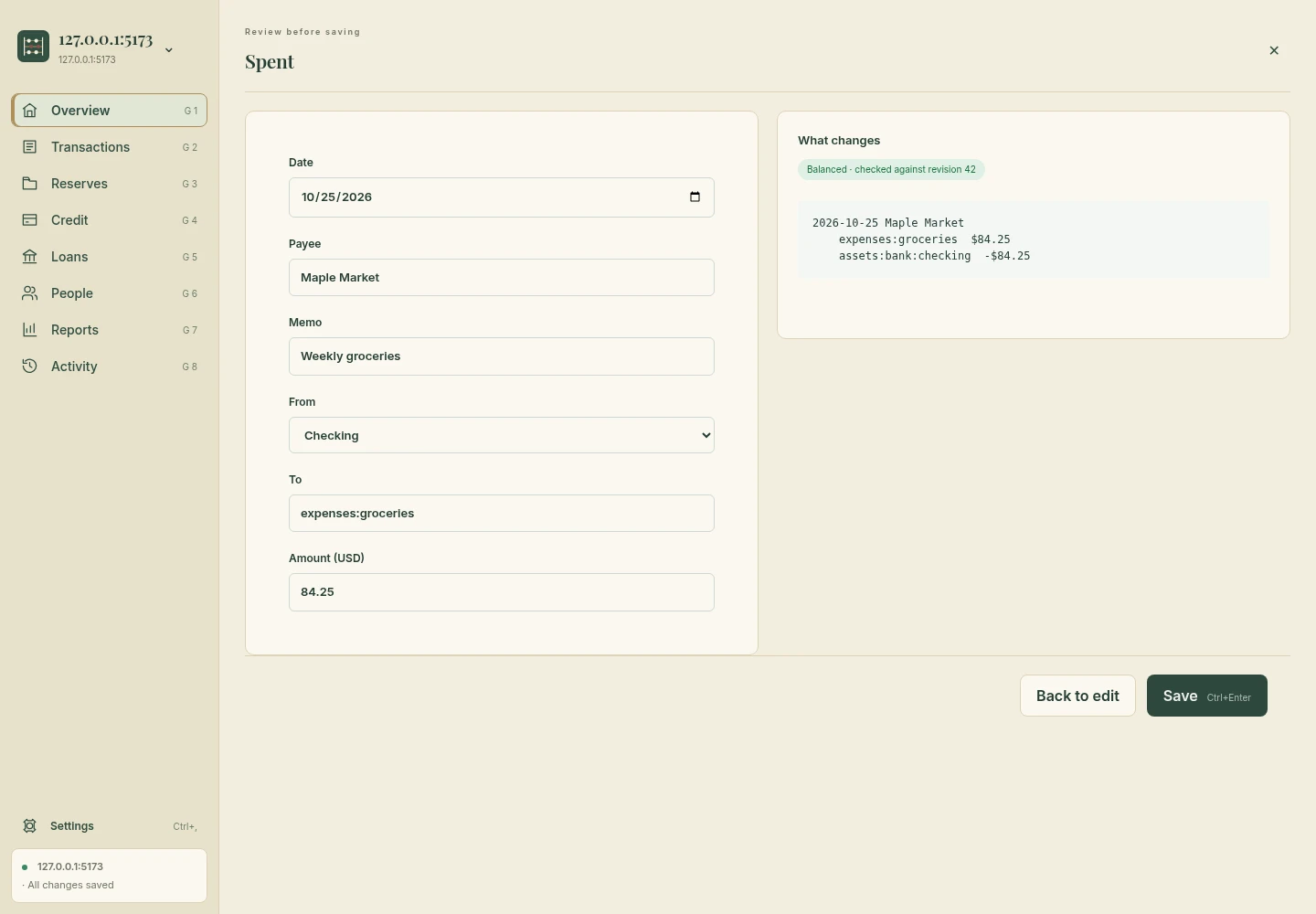
Every write previews first with a dry run: balances before and after, the change in Cash on Hand, the transaction’s text and whether the books balance. Saving writes it as one new numbered revision (“Saved as revision 418”, with View).
Edit in place
Click a transaction to edit it. Saving replaces it, keeps its number and keeps its comments, tags and assertions. Leaving out a posting that carries a balance assertion is an error, not a silent removal. Saving without a change writes nothing.
Void
A void adds a reversal dated today and leaves the original untouched. Both show in registers and net to zero. There is no revert: history only grows.
Conflicts
A save is checked against the revision your preview was made on. If someone or something changed the books meanwhile you get a conflict naming who made the change, never an overwrite.
Not yet in the app
- Delete, rename and balance-assertion rewrites from the app.
- Choosing among several ledgers in one database.
Inspect a real preview
Pick the appropriate operation
| What happened | Choose | Check |
|---|---|---|
| Cash or bank purchase | Spent | The expense category and the free money or reserve actually used. |
| Income arrived | Received | The receiving money account and income account. |
| Credit-card purchase or refund | Card purchase | The card and source reserve/free money; keep reserve lines together. |
| Money moved between banks | Transfer | The transfer already happened in the real world. Kabacus only records it. |
| Earmark money without moving banks | Set aside | The source covers the amount on the selected date and every later day. |
| Pay the credit-card bill | Pay a card | The payment spends the card’s reserve. |
| Share a cost | Split with someone | The person’s receivable/payable and your own share. |
| Need explicit accounting entries | Postings | All declared accounts, exact amounts and balanced entries. |
Refunds and duplicate entries
For a card refund use a negative card-purchase amount and return the money to its original source. Before adding a suspected missing transaction, search the payee and inspect the register; importing or recording the same payment twice changes the books twice.